Knowledge Base
Validation Certificate Service Documentation for QHIN Representatives & Sponsors at Organizations Eligible to Obtain a UDAP Certificate for TEFCA Facilitated FHIR
EMR Direct works directly with QHINs to issue Facilitated FHIR Certificates to their participants. Organizations working with a QHIN, or planning to do so, can initiate the process of requesting a VAL certificate from EMR Direct by following the steps below, with an existing account on the EMR Direct Administrative Site or after the intended certificate Sponsor (organization’s authorized representative) creates an account using the EMR Direct Developer Registration page. These certificates will be trusted within the TEFCA Facilitated FHIR VAL environment, and contain within them information to discover the DirectTrust TEFCA Facilitated FHIR VAL Root CA. Additional details about these certificates can be found in the active version of the DirectTrust Certificate Profiles.
1. The QHIN will authorize each certificate Subscriber (TEFCA participant or sub-participant organization) to be issued a production certificate. The Sponsor is someone who is authorized to enter into legal agreements on behalf of the Subscriber and whose identity will later be verified by EMR Direct, so it's efficient to have a person meeting these requirements initiate the VAL certificate request, and to start the process using the verifiable legal name of the organization as it appears in official public records.
2. The Sponsor receives an email verification code immediately after registering, verifies their email address and sets up account authentication.
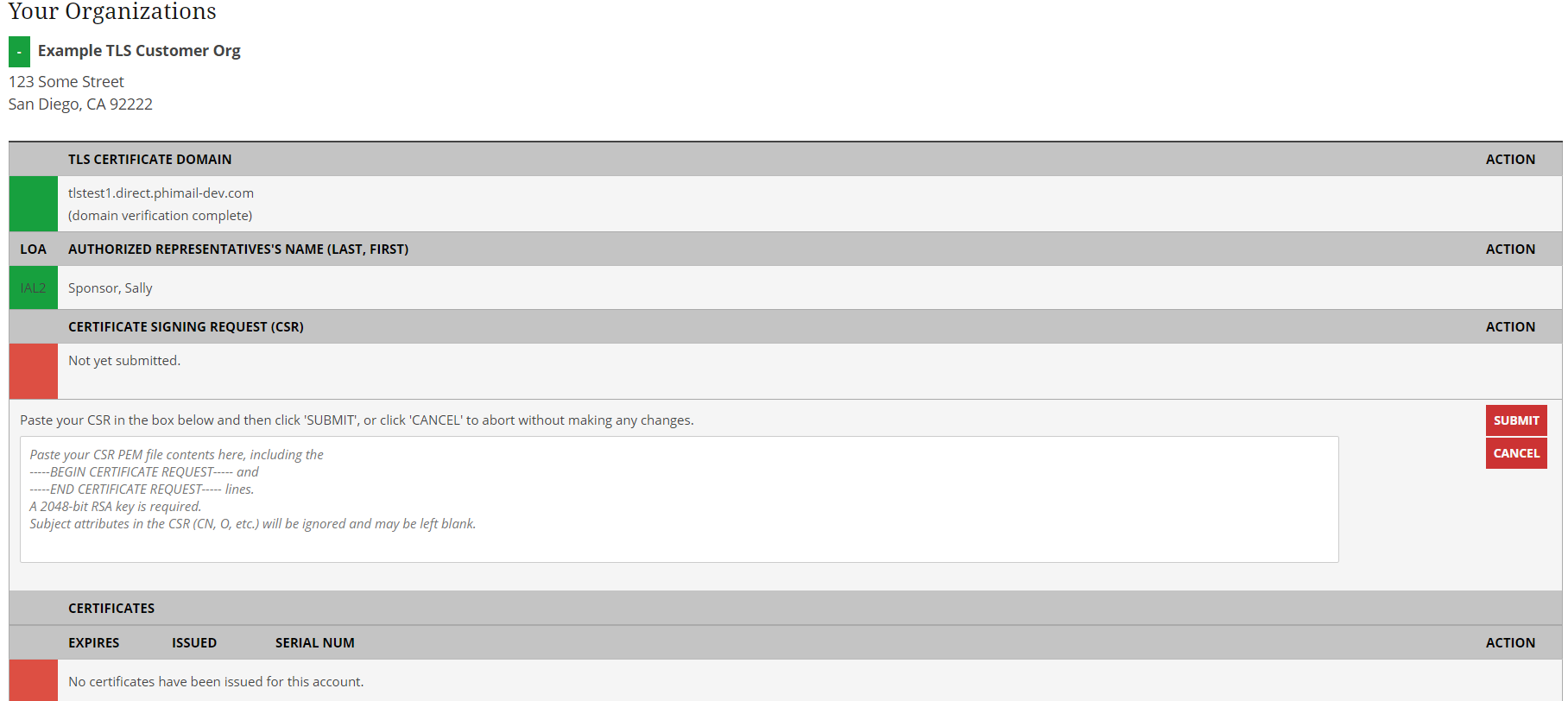
3. The Sponsor can then indicate certificate details and upload the CSR for their validation certificate. Sponsors should reach out to their QHIN if assistance generating the private key or 2048-bit RSA CSR is needed.
Uploading CSR to Administrative Site
Paste the contents of the PEM-encoded CSR file into the text box, as indicated, then click “SUBMIT” (NOTE that organizations obtaining TEFCA Facilitated FHIR certificates will see the organization's https URI(s) in the CSR upload box instead of an internet domain):
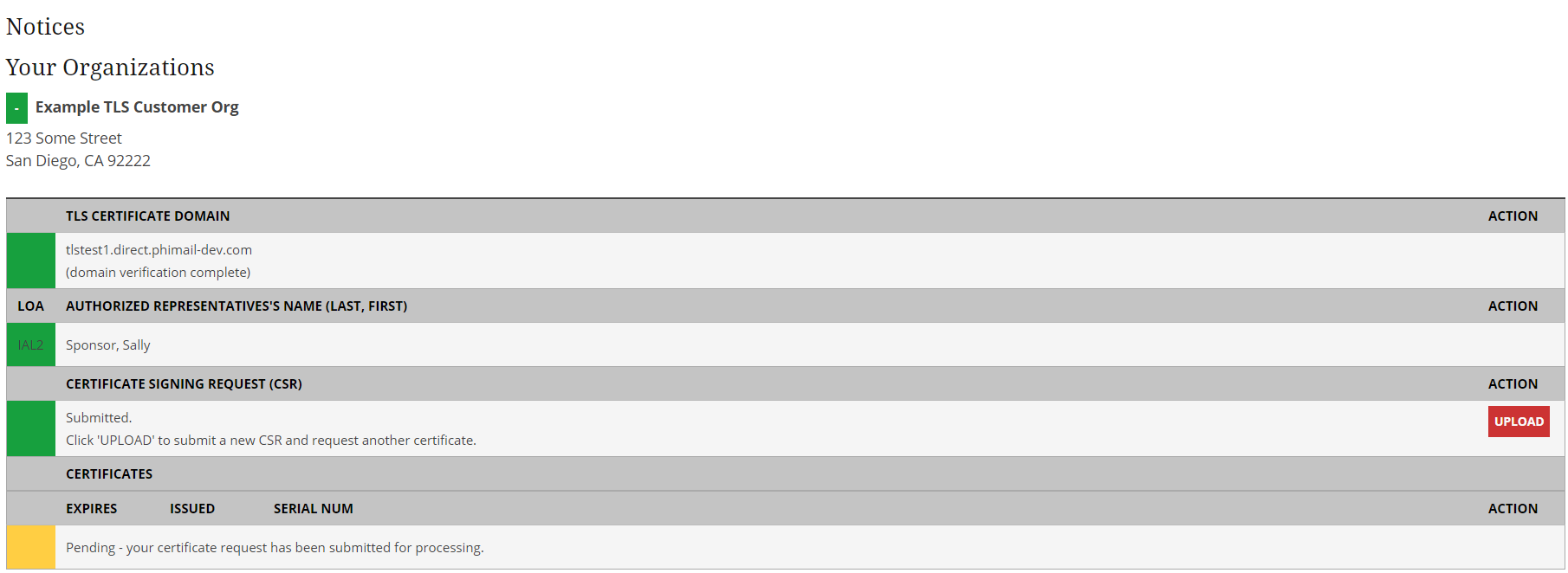
Waiting for certificate to be issued
4. Once the certificate request has been submitted, the account may appear in a Pending state until the certificate has been issued:
5. Once the certificate has been issued, EMR Direct notifies the Sponsor and the certificate is available for download on the Administrative Site.
6. Sponsor signs back in to download, review, or revoke the certificate:
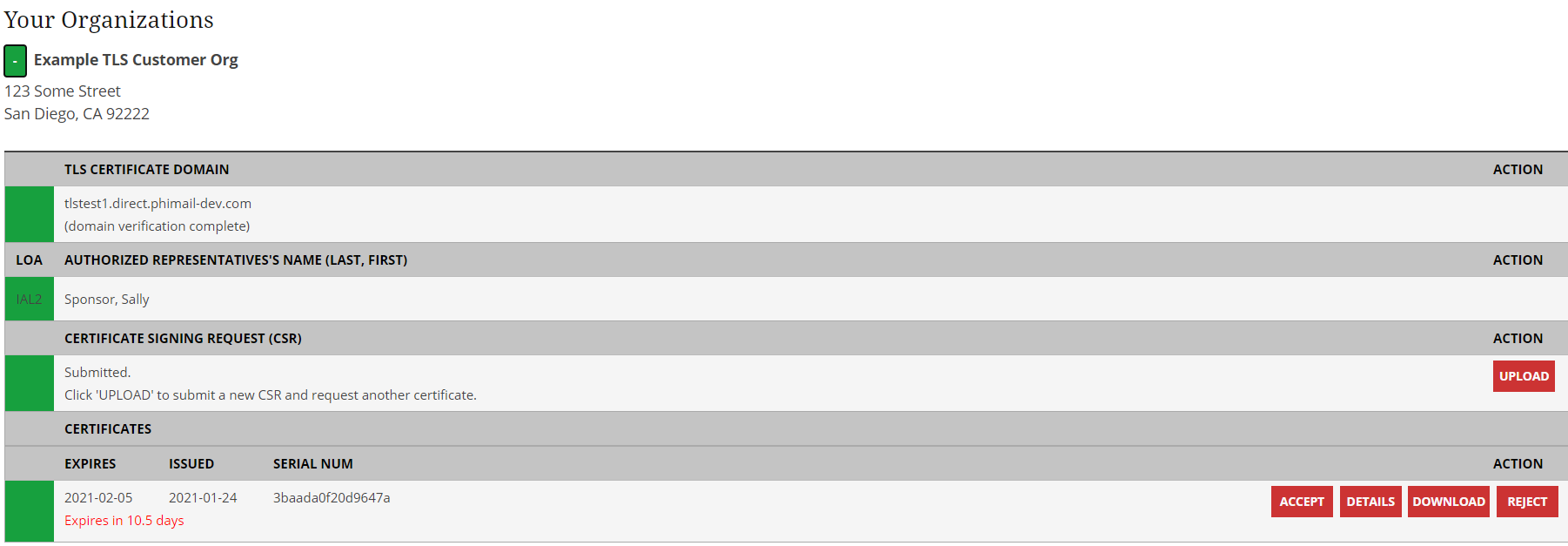
After the certificate has been accepted, it can still be downloaded, the details reviewed, or revoked.
Sponsors should reach out to their QHIN representative directly for technical support related to the QHIN software and for general Tier One support. For any questions about your EMR Direct account or escalated questions about certificates, contact EMR Direct at support@emrdirect.com.
Did this article answer your question? If not, please contact us.